Configure Orbstack
Kubernetes Cluster
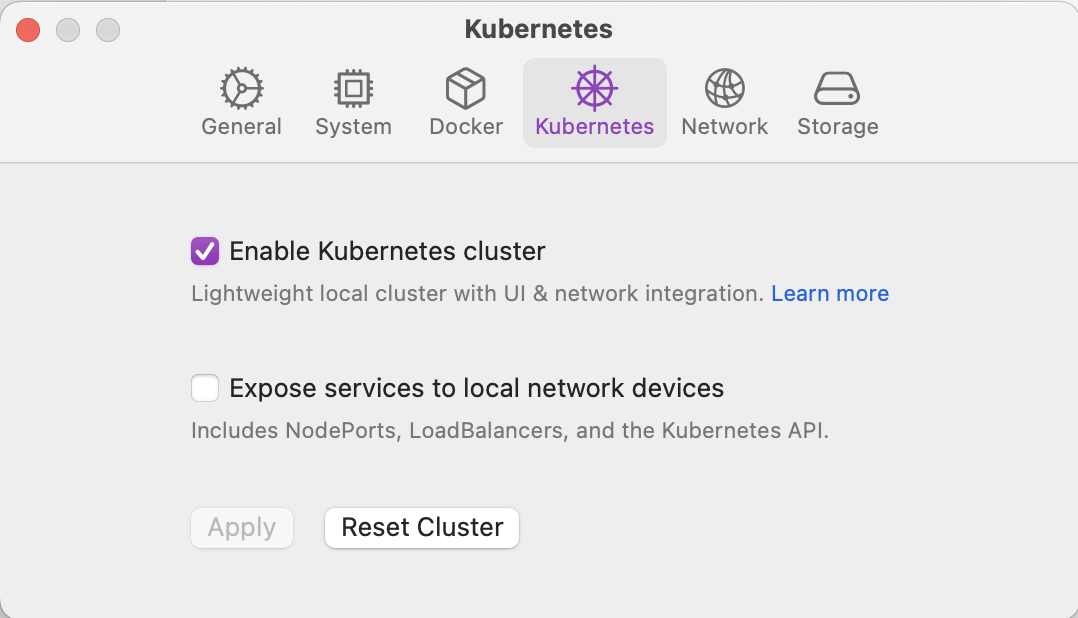
Follow the below steps to enable Orbstack Kubernetes cluster:
- Go to Orbstack Dashboard > Settings > Kubernetes.
- Toggle On 'Enable Kubernetes cluster'.
- Click on 'Apply' button to restart orbstack and apply changes.
Orbstack Resource Limits
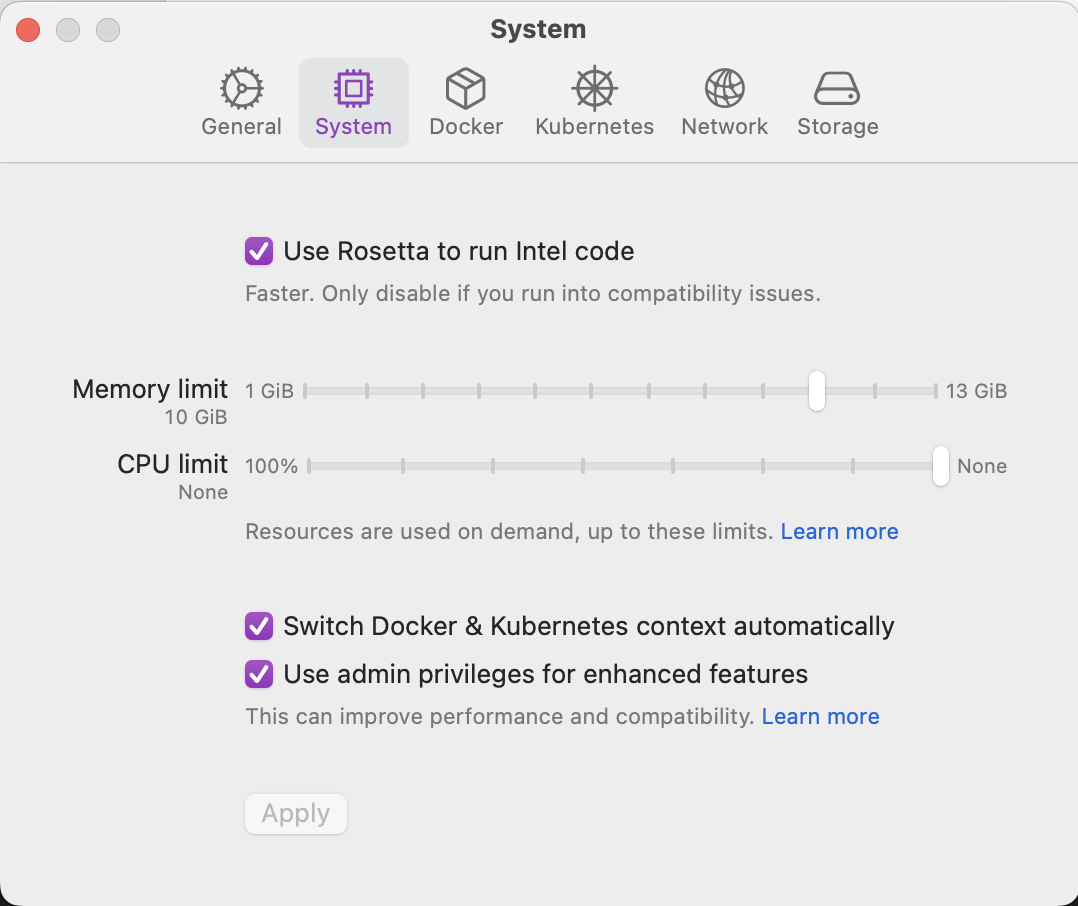
Follow the below steps to configure Orbstack resource limits:
- Go to Orbstack Dashboard > Settings > System.
- Set 'Memory limit' to 10GiB.
- Set 'CPU limit' to none.
- Click on 'Apply' button to restart orbstack and apply changes.
Learn More
Vist orbstack documentation for more information on Orbstack Kubernetes Cluster and Orbstack Resource Limits.